





Dynamics 365 Project Operations, Connected From First Quote to Final Invoice
Dynamics 365 Project Operations is Microsoft's app for project-based businesses, covering quotes and contracts, resource scheduling, time and expense, project accounting and billing in one place. It sits on both sides of the Dynamics 365 CRM and ERP line, and we implement both sides. We connect it to Dynamics 365 Sales and to Business Central or Finance and Operations, so a won deal becomes a staffed, billable project without anyone rekeying it.
Proud Solution Partners


Key Capabilities
Maximize Project Profitability with Dynamics 365 Project Operations
Run quotes, plans, resources, time and billing for your project-based business in one app.
Win Deals Faster
Win more bids with accurate project quotes, forecasts, and estimations using Dynamics 365 Project Operations, helping you close contracts faster and stay ahead of the competition.
Customize Pricing & Costing
Setup tailored pricing based on geography for local costing, easily adapt your projects to local economic fluctuations, and implement flexible cost modeling for your global workforce to keep your projects profitable.
Create Tailored Deals
Align your project billing structures with client expectations to build trust. Offer flexible pricing contracts including fixed-term, time & material, or retainer contracts through adaptable billing models, whichever best suits your clients needs.
Close Deals Faster
Develop detailed project estimates, schedules, and quotes using standardized templates to stand out of the competition and shorten your sales cycles.
Enhance Project Management
Give your project managers the tools to plan work, control budgets and keep every project on schedule.
Tools for Success
Improve efficiency with embedded Microsoft Project capabilities and use dashboards, task management, Gantt charts, and work break down structures to optimize project outcomes and deliver projects on time and within budget.
Track Projects Effectively
Accurately estimate labor, material, and expenses and monitor planned-to-actual consumption as your projects progress.
Real-time Collaboration
With D365 Project Operations native integration with Microsoft solutions, empower teams to be more productive. Process and share quotes, orders, and invoices directly in Outlook and view your Project data directly within Microsoft Teams.
Intelligent Resource Scheduling
Optimal Resource Usage
Distribute workload across your project teams & resources to deliver projects on time, without burn outs.
Align Right People for Right Project
Create resource profiles and rate skills using proficiency models to easily match resource skillset with project needs and ensure only the qualified resources are assigned work.
Anticipate Resource Requirements
With Universal Resource Scheduling tool, schedule resources for skill-based assignments and get visibility into resource availability.
Time & Expense Tracking
Submit time and expenses on the go
Use a mobile app or browser to track time with a time entry feature. Itemize expense entries, review & approve expenses, and receive notification alerts.
Stay Compliant
Configure rules and set up workflows to save time and make it easier for your teams to comply with expense policies.
Accurate Reporting
Automate expense submissions, approvals, and reporting to keep track of how much time and expenses are allocated to each project.
Project Financials
Recognize revenue accurately
Adhere to international accounting standards, including International Financial Reporting Standards (IFRS), to keep your project revenue compliant.
Manage Cash Flows
Invoice your customers directly & precisely through group transactions and adding details to customize invoices for easy reconciliations. Manage billing queues, subscriptions, and progressive billing.
Features and Benefits
What Changes When Sales, Delivery and Finance Share One Project Record
Most project firms track the deal, the schedule and the invoice in three systems, and Project Operations puts them on one record.
Quote from your real costs
Build project quotes alongside Dynamics 365 Sales from actual role rates, cost prices and margins, and mix fixed price, time and materials, and milestone lines on one contract.
Start projects from the signed scope
Turn every won opportunity in Dynamics 365 Sales into a contract, budget and project automatically, so project managers start with the scope sales agreed to.
Staff projects by skill and availability
Match people to roles by skill, location and capacity on the schedule board, and see utilization before work starts.
Post time and expenses every week
Log hours and receipts from desktop, mobile or Teams, and see project cost weekly instead of at month end.
Bill exactly what the contract says
Generate invoices from approved actuals and each contract's billing rules, whether milestones, progress billing or retainers, and review a proforma before anything reaches the customer.
Pull margin by project any day
Post project accounting to your general ledger and handle WIP and revenue recognition in Dynamics 365 Finance with the Integrated with ERP or manufacturing deployment.
Let Copilot draft the status report
Draft task plans, status reports and risk summaries from each project's own history with Copilot.
Customer Proof
Avalon: Every Closed Opportunity Opened a Project
Avalon connected Dynamics 365 Sales to Business Central projects so every closed opportunity opened a new project. Manual effort dropped by about 60 percent, delivery delays by 35 percent and data entry errors by more than half.
Our Services
Project Operations Implementation, Integration, Migration and Support
Partner with Folio3 Dynamics to implement Project Operations, connect it to your CRM and ERP, move off older systems and keep it running after go-live.
Implementation
We pick the right deployment type, configure contracts, price lists, roles and billing rules, and take you live with your own projects loaded.
Integration
We connect Project Operations to Dynamics 365 Sales, Business Central, Finance and Operations and your other apps with Power Platform and Burq iPaaS, so data moves without rekeying.
Migration
We move projects, contracts and open actuals from Project Service Automation, spreadsheets or legacy PSA tools. See our Dynamics 365 migration services.
Support
After go-live we handle user questions, fixes, Microsoft release updates and new configuration. Learn more about Project Operations support.
Deployment Types
Which Project Operations Deployment Type Fits Your Business?
Microsoft offers three deployment types, and it doesn't migrate data between them, so we settle this in the first workshop.
Core
Project management, time, expense, budgeting and proforma invoicing on Dataverse, alongside Dynamics 365 Sales. Fits firms that invoice from another ERP.
Integrated with ERP
Adds customer invoicing, project accounting and revenue recognition through Dynamics 365 Finance and Operations.
Manufacturing
For projects that use stocked materials and production orders, running with Finance and Supply Chain Management.
Project Operations and ERP
Project Operations with Business Central or Finance and Operations
You need an ERP if project actuals have to reach the general ledger. Which one depends on your size, your deployment type and how much project accounting you want inside the ERP.
Project Operations with Business Central
Business Central suits growing firms that run Project Operations or Sales for the deal and delivery side and Business Central for jobs and accounting. That pairing needs an integration layer, which we build.
Project Operations with Finance and Operations
Dynamics 365 Finance and Operations is the ERP the Integrated with ERP deployment supports natively, with project accounting, WIP and revenue recognition posting to the general ledger.
Connected with Burq iPaaS
We connect Project Operations, Dynamics 365 Sales and your ERP on Burq iPaaS, so contracts, actuals and invoices sync without anyone rekeying them.
Copilot in d365
Copilot in D365 Project Operations
Copilot in Dynamics 365 Project Operations is an AI assistant built into the app. It drafts task plans, status reports and risk assessments from your project data, so project managers spend less time on admin.
Smart Project Planning
Get task plan suggestions based on similar past projects to set timelines, resources and effort, then adjust them to your goals.
Real-Time Financial Insights
Generate summaries of a project's cost, revenue and profitability to check its financial health.
Resource Suggestions
Get suggestions for team members based on skills, availability and past assignments, and confirm the best fit for each role.
Automated Status Updates
Draft project status reports covering progress, issues and milestones to keep stakeholders informed.
pricing & licensing
Dynamics 365 Project Operations Licensing & Pricing
Microsoft lists Project Operations at $135 per user per month as of October 2026. Team members who only log time and expenses can often use a lower-cost license. See our Dynamics 365 pricing and licensing guide for the full breakdown.
Dynamics 365 Project Operations
-
Get the visibility, collaboration, and agility needed to drive success across your project-centric business.
Folio3 Advantage
Why Choose Folio3 Software as Your D365 Project Operations Implementation Partner
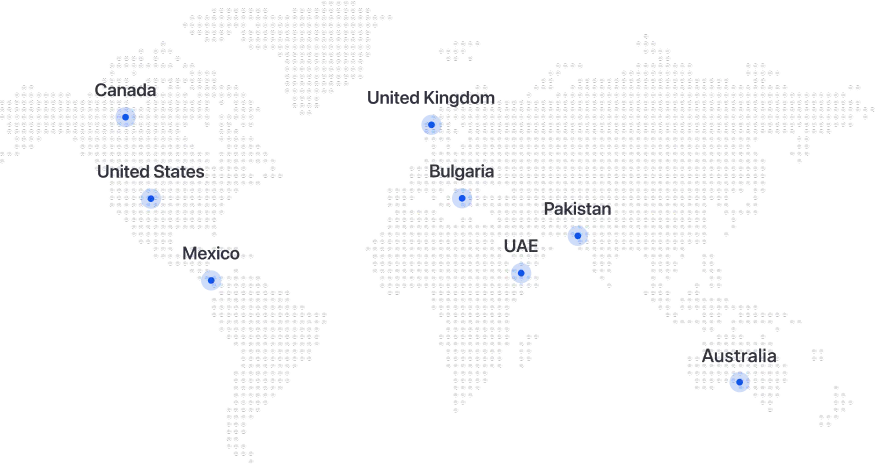
At Folio3, we are a Microsoft Solutions Partner with 4 Solution Partner Designations and a firm commitment to a smooth Dynamics 365 implementation. We have more than 20 years of experience implementing Microsoft solutions across North America, Australia and the United Kingdom.
End-to-End Implementation & Global Support
We act as a technology partner, not just an implementer, covering consulting, deployment, migration, training and user support. Our teams work alongside you at every step, with 24/7 global support and dedicated Project Operations support after go-live.
Deep Microsoft Expertise
With over 2 decades of experience, our super-team of certified Microsoft experts are truly the gurus in the game. Their in-depth knowledge serves as an asset for our customers ensuring a seamless experience.
Industry-Specific Solutions & Customization
We take pride in distinguishing ourselves from other partners by really being a one-stop shop for all your needs. Our deep subject-matter expertise in industry domains such as agriculture, manufacturing, and retail, has enabled us to build tailored solutions that serve your needs. Our ability to customize workflows, integrations, and modules is our forte.

Proven Track Record
Our strong portfolio of successful implementations during the past 20 years, is a testament to our reputation of delivering results and being your trusted partner for embracing digital transformation.
OUR WORK
Trusted Microsoft Dynamics Partner
Microsoft Solutions Partner with solid foundations and experienced professionals
industries
Industries We Serve with Project Operations
Project Operations fits firms that sell time, expertise and deliverables, and bill by contract.
Professional Services
Engineering
Engineering
IT Services
IT Services
Consulting
Consulting
Frequently Asked Questions
What is Dynamics 365 Project Operations?
Dynamics 365 Project Operations is Microsoft's app for project-based businesses. It covers quotes and contracts, resource scheduling, project planning, time and expense, project accounting and billing in one place, and it connects the sales side of a project to the finance side.
Which Project Operations deployment type do we need?
Microsoft offers three, per Microsoft Learn. Core covers project management, time, expense, budgeting and proforma invoicing on Dataverse alongside Dynamics 365 Sales. Integrated with ERP adds customer invoicing and revenue recognition through Finance and Operations. The manufacturing type covers projects that use stocked materials and production orders. Microsoft doesn't migrate data between types, so we settle this in the first workshop.
Should we use Project Operations or Business Central?
Many firms run both. Project Operations handles quotes, resourcing, time and project billing, while Business Central is a full ERP for finance, supply chain and operations in small and mid-sized businesses. Running them together lets delivery teams work in Project Operations while accounting stays in Business Central.
Can Microsoft Dynamics 365 Project Operations be customized?
Yes. You can tailor workflows, forms, dashboards and reports with Power Platform, and connect Project Operations to other business apps through Burq iPaaS and third-party integrations.
What licensing options are available for Dynamics 365 Project Operations?
Microsoft licenses Project Operations per user, per month, listed at $135 per user per month. Team members who only log time and expenses can often use a lower-cost license. See our Dynamics 365 pricing and licensing guide for details.
Do we need Business Central or Finance and Operations with Project Operations?
You need an ERP if project actuals have to reach the general ledger. Finance and Operations is the ERP the Integrated with ERP type supports natively. Business Central suits growing firms that run Project Operations or Sales for the deal and delivery side and Business Central for jobs and accounting. That pairing needs an integration layer, which we build on Burq iPaaS.
How much does Dynamics 365 Project Operations cost?
Microsoft lists Project Operations at $135 per user per month as of October 2026. Team members who only log time and expenses can often use a lower-cost license. Deployment type, integrations and data migration drive the rest of the cost.
We still run Project Service Automation. What happens now?
Project Operations replaced Project Service Automation and adds deeper project accounting. Moving off it means mapping contracts, rate setups and open actuals to the new model. We plan that before go-live so open projects and their billing aren't interrupted. Learn more about our Dynamics 365 migration services.
Let's Talk About Your Microsoft Dynamics 365 Project