US +1 408 412-3813

Explore Folio3

Explore Folio3

×

Agentic AI, computer vision, generative AI

Web, mobile, and custom software

Engineering, warehousing, analytics

Farm, livestock, and crop software

Traceability and food supply chain

EHR, telehealth, and interoperability

ERP implementation and support

Dynamics 365 and Business Central

CRM consulting and integration

B2B ecommerce, ERP integrations and migrations


DYNAMICS 365 CUSTOMER SERVICE PARTNER

Dynamics 365 Customer Service, Connected to Your ERP From Day One

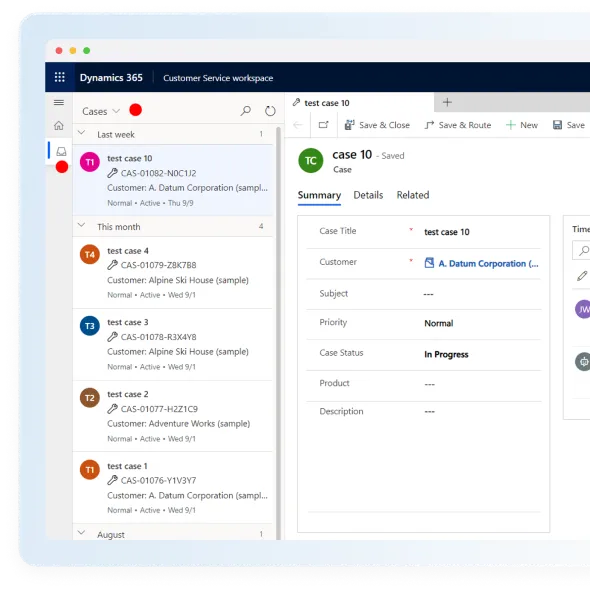
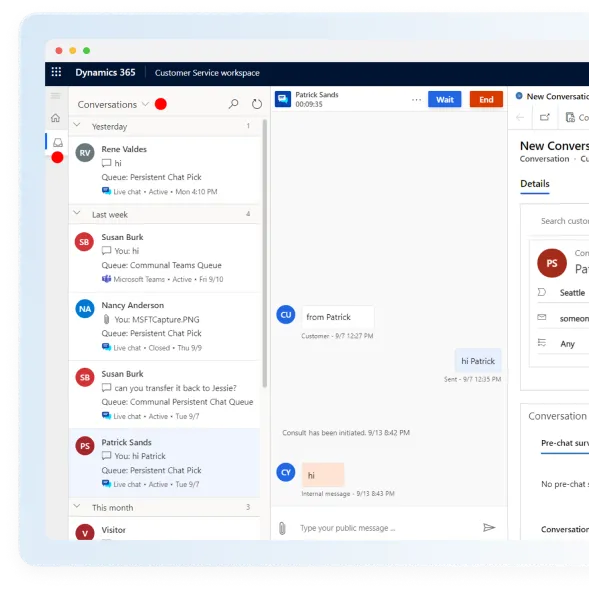
Dynamics 365 Customer Service is Microsoft's case management app for email, chat, self-service portals, knowledge articles and Copilot. We implement it alongside Business Central or Finance and Operations, so when a customer calls about a late order, the agent already has the shipment status and open invoice on screen. A named support team stays with you after go-live.

Dynamics 365 Customer Service agent workspace illustration

Proud Solution Partners

Why do you need Dynamics 365 Customer Service?

Customer Service Challenges for SMBs and Enterprises

Is your service team running into any of these? If so, we can help.

Disconnected Communications

Email, chat and phone conversations with the same customer live in different tools, so agents repeat questions and customers repeat themselves.

Manual Processes

Supervisors sort the inbox by hand, SLAs are tracked in spreadsheets, and agents copy the same answers into every reply.

AI You Can't Trust Yet

You want Copilot and AI agents to take routine work off your team, but you can't risk a model misrouting cases before you've seen how it performs.

Agents Can't See Orders or Invoices

When CRM and ERP don't talk, agents can't see order status, shipments or open invoices. A simple "where's my order" call turns into an email to finance and a callback, and nobody has the full customer picture.

Can you relate to any of these? If yes, let's talk and get it fixed.

Features and benefits

What Your Service Team Gets With Dynamics 365 Customer Service

These are the features we configure most often, and the ones that change an agent's day.

Cases That Route Themselves

Rules and skills-based routing send each case to the right queue.

The SLA timer is already running when the case lands, so nothing slips.

Supervisors stop sorting the inbox by hand.

Dynamics 365 Customer Service case routing and case management

Orders, Shipments and Invoices Inside the Case

We connect Customer Service to Business Central or Finance and Operations, so agents answer "where's my order" without opening a second system or emailing finance.

Running connected equipment? IoT alerts can open cases automatically, too.

Dynamics 365 Customer Service case with ERP order and invoice data

Copilot in the Agent Desktop

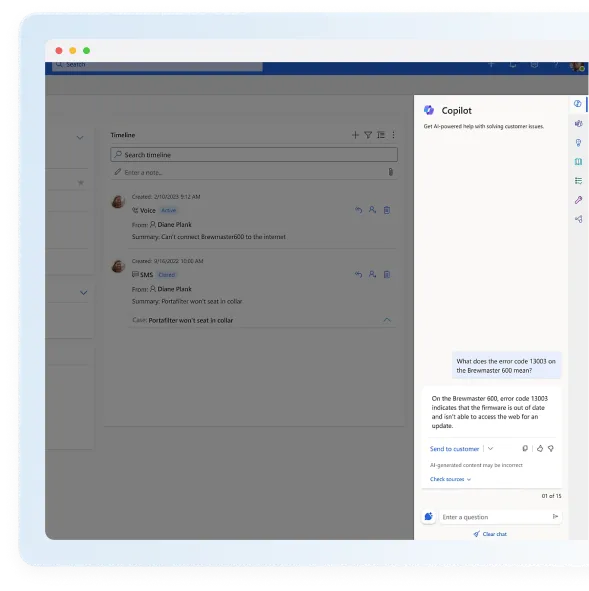
Copilot summarizes the case, so agents pick up where the last person left off.

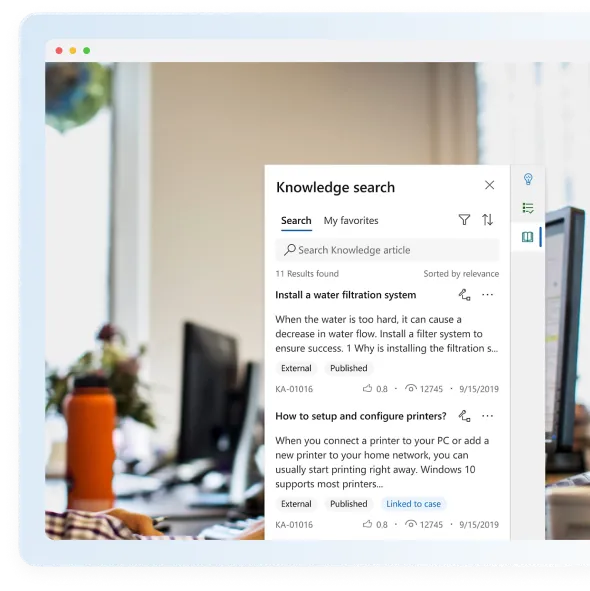
It drafts the reply and searches your knowledge base while the agent stays on the conversation.

Included with Enterprise and Premium licenses.

Copilot in the Dynamics 365 Customer Service agent desktop

A Case Management Agent You Test Before It Acts

Microsoft's 2026 agent predicts how to classify and route each new case.

We run it in shadow mode first, so you can compare its calls with your agents' decisions.

You decide which case types it handles on its own.

Dynamics 365 Customer Service case routing and case management

Self-Service That Cuts Ticket Volume

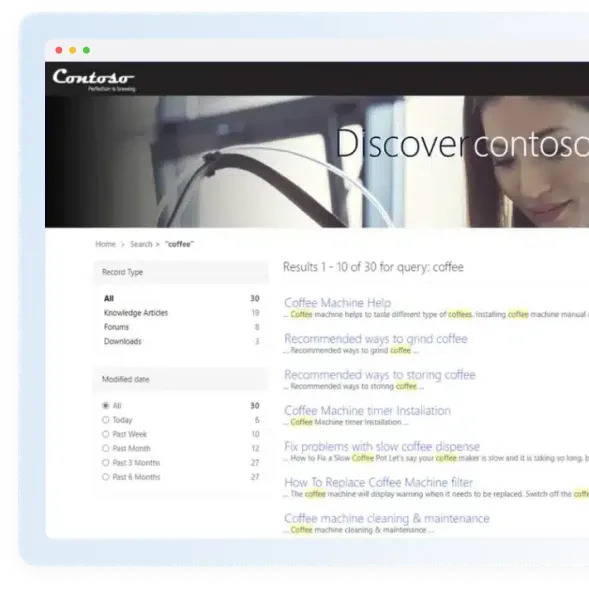
A Power Pages portal lets customers check case status and fix common issues themselves.

Knowledge articles answer repeat questions before they turn into tickets.

Case history stays on the same customer record, so agents see what the customer already tried.

Dynamics 365 Customer Service self-service portal

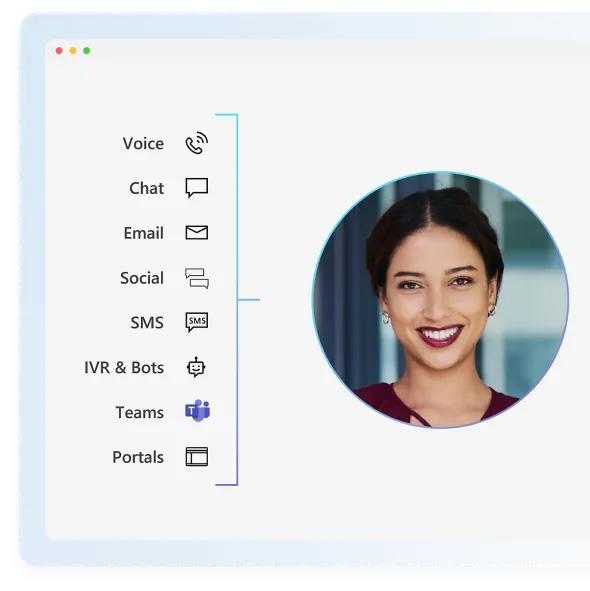
Voice and Digital Channels When You Need Them

Premium, or Dynamics 365 Contact Center on its own, adds voice, chat and messaging.

Teams that live in email and cases can stay on Professional or Enterprise.

Add channels later without rebuilding your case setup.

Dynamics 365 Customer Service voice and digital channels

Reports Managers Actually Open

Dashboards and Power BI show backlog, SLA breaches and first-contact resolution.

ERP data such as returns and credit notes sits alongside your service metrics.

Dynamics 365 Customer Service reporting dashboard

use cases

Use Cases for Dynamics 365 Customer Service

Retail

Retailers handle order, return and refund questions from one case view, with store and ecommerce history on the same customer record.

Distribution

Distributors give agents live order, backorder and shipment status from the ERP, so "where's my order" calls close on the first contact.

Manufacturing

Manufacturers log warranty and quality cases against the right order and serial number, and hand on-site repair follow-ups to Dynamics 365 Field Service.

Agriculture

Agribusinesses track grower and dealer cases, from delivery issues to contract and pricing questions, against the same ERP records the finance team uses.

Healthcare

Healthcare providers route patient requests to the right team and keep a complete history of every interaction on one record.

Let's Find Out How Dynamics 365 Customer Service Fits Your Business

pricing & licensing

Dynamics 365 Customer Service Licensing and Pricing (October 2026)

D365 Customer Service Professional

$50

User/Per month

Get core customer service capabilities to get started with basic resources for self-service, case management, and knowledge management.

D365 Customer Service Enterprise

$105

User/Per month

Get advanced customer service capabilities for a personalized experience, improved service representative productivity, and optimized operations.

D365 Customer Service Premium

$195

User/Per month

Transform customer engagement with an integrated contact center and CRM service solution, all powered by generative AI.

D365 Contact Center

$110

User/Per month

Add voice, chat and messaging with AI routing on the conversation. Sold standalone, to run alongside Customer Service or another CRM.

Microsoft list prices per user per month, as of October 2026. For minimums, add-ons and how to mix plans, see our Dynamics 365 pricing and licensing guide.

Microsoft Copilot in Dynamics 365 Customer Service

Copilot and AI Agents That Help Your Team Close Cases Faster

In the agent desktop, Copilot summarizes each case, drafts replies and answers questions from your knowledge base, so agents stay on the conversation instead of searching. It's included with Enterprise and Premium licenses.

The Case Management Agent, released in 2026, predicts how to classify and route new cases. We switch it on in shadow mode first, so it records its predictions without acting on them and you can compare them with what your agents actually did. Once the results hold up, you choose which case types it handles on its own.

customer services offerings

Folio3 Dynamics 365 Customer Service Offerings

At Folio3, we understand your business needs and why your Dynamics 365 Customer Service solution must be utilized at full potential. We are here to support you and ensure that your solution is driving the desired results. Our services include: 

support after go-live

A Named Support Team That Stays After Go-Live

Go-live is where most of the work starts. Your Dynamics 365 Customer Service support team knows your configuration, routing rules and ERP integration because they helped build them. They handle tickets and user questions, tune routing and SLAs as volumes change, test Microsoft's release waves before they reach your agents, and roll out Copilot and the Case Management Agent when you're ready. Support is available 24/7 for teams running round-the-clock queues.

Why partner with Folio3?

Why Teams Choose Folio3 for Dynamics 365 Customer Service

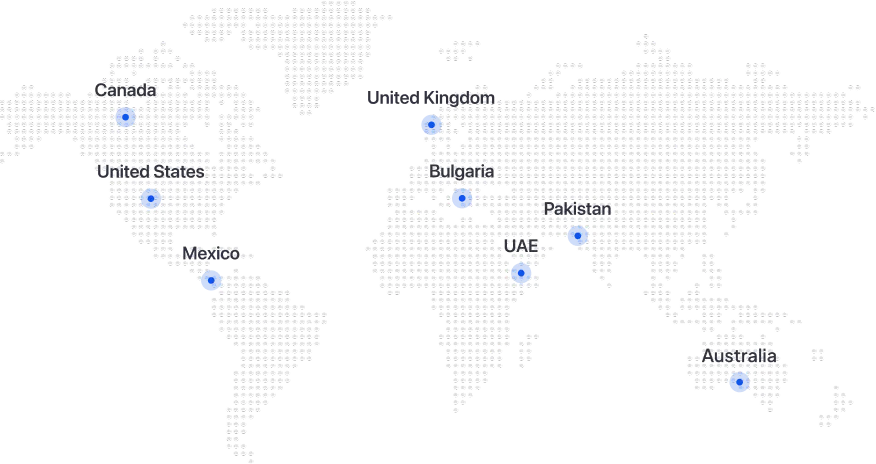
Folio3 implements both Dynamics 365 ERP and CRM, so your Customer Service rollout connects to Business Central or Finance and Operations in the first release, not a later phase. For everything else, from a WMS to your ecommerce platform, we connect through Burq iPaaS, our own integration platform. We're a Microsoft Solutions Partner with four designations and more than 20 years of experience delivering Microsoft solutions across North America, Australia and the United Kingdom.



End-to-End Implementation & Global Support

We believe in being not just an implementation service provider, but a true technology partner for our customers, offering a full spectrum of services including consulting, deployment, migration, training, and user support. Our teams work alongside you at every step of the way with 24/7 global support to help you navigate any challenges along the journey.

With over 2 decades of experience, our super-team of certified Microsoft experts are truly the gurus in the game. Their in-depth knowledge serves as an asset for our customers ensuring a seamless experience.

We take pride in distinguishing ourselves from other partners by really being a one-stop shop for all your needs. Our deep subject-matter expertise in industry domains such as agriculture, manufacturing, and retail, has enabled us to build tailored solutions that serve your needs. Our ability to customize workflows, integrations, and modules is our forte.

Our strong portfolio of successful implementations during the past 20 years, is a testament to our reputation of delivering results and being your trusted partner for embracing digital transformation.
Let's Talk About How We Can Digitally Transform Your Business

OUR WORK

Trusted Microsoft Dynamics Partner

Microsoft Solutions Partner with a solid foundation and experienced professionals


Not Sure Which Plan or Timeline Fits? Talk It Through With Our Team

Frequently Asked Questions

What is Microsoft Dynamics 365 Customer Service?

Dynamics 365 Customer Service is Microsoft's case management app. It gives agents one workspace for cases, queues, SLAs, knowledge articles and self-service portals across email, chat and other channels, with Copilot built in on the higher plans. Connected to Business Central or Finance and Operations, it also shows each customer's orders, shipments and invoices on the case.

Customer Service is the case management app: queues, SLAs, knowledge articles, the agent workspace and self-service. Contact Center is Microsoft's voice and digital channel layer, with routing and AI on the conversation, sold standalone at $110 per user per month. Premium at $195 bundles both. Teams that work mainly through email and cases need Professional or Enterprise. Teams running a phone queue or live chat at volume should look at Premium, or at Contact Center alongside an existing CRM.

Professional at $50 per user per month covers core case management, knowledge and basic self-service for a small team on one or two channels. Enterprise at $105 adds advanced routing, more customization and Copilot in the agent desktop, and most mid-size teams land there. Premium at $195 adds the contact center. Many companies license supervisors and agents on different plans, and we work out the mix on the free consultation.

As of October 2026, Microsoft lists Dynamics 365 Customer Service per user per month at:
Professional: $50, for core case management, self-service and knowledge management.
Enterprise: $105, for advanced routing, customization and Copilot in the agent desktop.
Premium: $195, which adds an integrated contact center.
Dynamics 365 Contact Center on its own is $110 per user per month. For minimums, add-ons and plan mixing, see our Dynamics 365 pricing and licensing guide.

Yes. We implement both Dynamics 365 ERP and CRM, so the connection to Business Central or Finance and Operations ships in the first release, not a later phase. For a WMS, carrier portal or ecommerce platform, we connect through Burq iPaaS, our own integration platform.

Yes. We connect it to Business Central and Finance and Operations first, because that's where order and invoice answers live, and it works natively with Microsoft Teams, Outlook and Power BI. For third-party applications and systems, we use Burq iPaaS, our own integration platform.

It's a 2026 AI agent that predicts how to classify a new case and where to route it. In shadow mode it records its predictions without acting on them, so you can compare them with what your agents actually did. We set up that comparison and help you decide which case types it can handle alone.

A single-app Customer Service rollout for a mid-sized team runs 8 to 14 weeks from kickoff to go-live. Voice channels, several regions or a heavy data migration extend that, and we scope it on the free consultation.

Any business with a service queue can use it, and it pays off most where agents need ERP data to answer customers: manufacturing, distribution, retail and agriculture. Healthcare and professional services teams use it too. See our industry solutions.

Folio3 Dynamics offers end-to-end Dynamics 365 Customer Service implementation, consulting, migration from legacy systems and other CRMs, ERP integration with Business Central or Finance and Operations, integration through Burq iPaaS, customization to your workflows, recovery of troubled implementations, and ongoing support from a named support team after go-live.