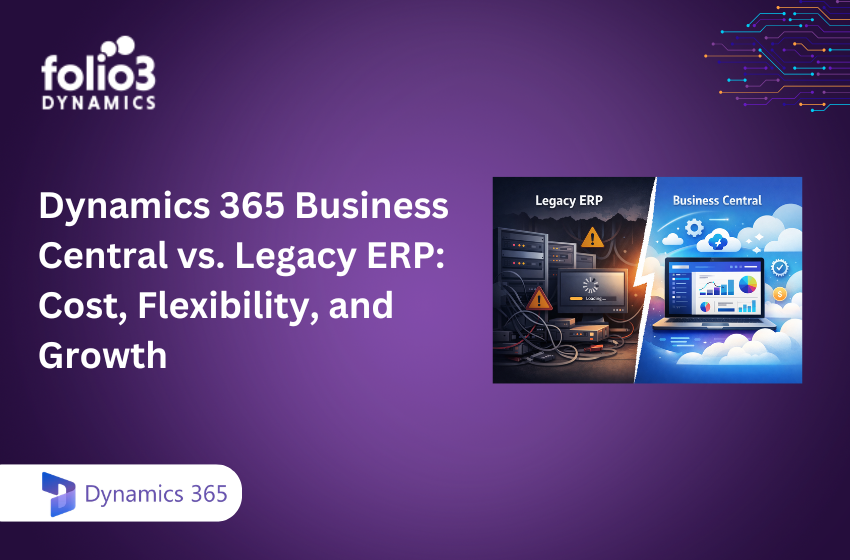
Modern finance and operations teams demand predictable costs, seamless integrations, and systems that scale with business growth. This is why many organizations are moving away from legacy ERP systems and adopting Microsoft Dynamics 365 Business Central. As a modern cloud ERP, Business Central replaces expensive on-premises infrastructure and manual upgrade cycles with Microsoft-managed services, while integrating natively with Microsoft 365 and the Power Platform. The result is a lower total cost of ownership, faster decision-making, and a platform built to support multi-entity growth.
Cost Comparison: Business Central vs. Legacy ERP
Total cost of ownership (TCO) is the full, cumulative cost of an ERP across its lifecycle — including implementation, licensing, hardware, maintenance, upgrades, integrations, user training, and hidden fees from downtime and manual work. Business Central’s cloud model eliminates infrastructure and maintenance burdens through Microsoft-managed hosting and automatic updates, while legacy ERP typically requires servers, storage, and disruptive upgrades that compound costs significantly over time.
Forrester’s Total Economic Impact study reported a 265% ROI and payback in under six months for companies adopting Business Central, with legacy ERP costs reduced by approximately 90% within three years — resulting in annual savings of up to $53,000 for an organization with 150 employees.
Business Central pricing is subscription-based, which streamlines budgeting and reduces upfront expenditures compared to perpetual licenses and hardware purchases. Current list prices are Essentials $80/user/month, Premium $110/user/month, and Team Members $8/user/month.
|
Cost Area |
Business Central (Cloud) |
Legacy ERP (On-Premises) |
|
Upfront (hardware/licensing) |
No servers; subscription licensing. | Servers, storage, OS/DB licenses; perpetual licenses. |
| Ongoing (maintenance/support) | Microsoft-managed uptime, backups, and updates. |
Patching, backups, performance tuning, vendor/VAR maintenance contracts. |
|
Hidden costs |
Minimal upgrade disruption; lower IT labor; fewer integration workarounds. | Upgrade projects, downtime, custom code refactoring, middleware, disaster recovery overhead. |
| Subscription/licensing | Essentials $80, Premium $110, Team Members $8 per user/month. |
Perpetual + Software Assurance; module/user add-ons; hardware refresh cycles. |
The takeaway: lower TCO, faster ROI, and fewer unplanned costs with Business Central.
Flexibility and Integration Capabilities
Business Central is cloud-native and designed for connectivity. It integrates directly with Outlook, Excel, Teams, Power BI, and Power Automate — streamlining user adoption and minimizing integration costs. Legacy ERPs, by contrast, often rely on batch-based integrations and middleware, which increase complexity and slow down business processes.
Common Business Central integration patterns include:
- Native connectors: One-click Power BI dashboard refresh, in-context Outlook invoicing, Teams-based approvals, and Microsoft 365 for identity and collaboration.
- API-driven workflows: Secure, real-time API connectivity for e-commerce platforms, CRM, EDI/supply chain partners, and industry-specific applications. Learn more about our Dynamics 365 integration services.
An API (application programming interface) is a set of rules that allows different systems to communicate and share data in real time — enhancing automation, accuracy, and time-to-value. This integration approach reduces manual data entry and shortens project delivery timelines considerably.
Scalability and Growth Potential
Business Central is inherently scalable, offering elastic cloud resources that allow you to add users, new legal entities, or international operations without re-architecting infrastructure. This contrasts sharply with many legacy ERP systems, which require significant custom development and hardware upgrades to support growth.
Key growth enablers for businesses adopting Business Central include:
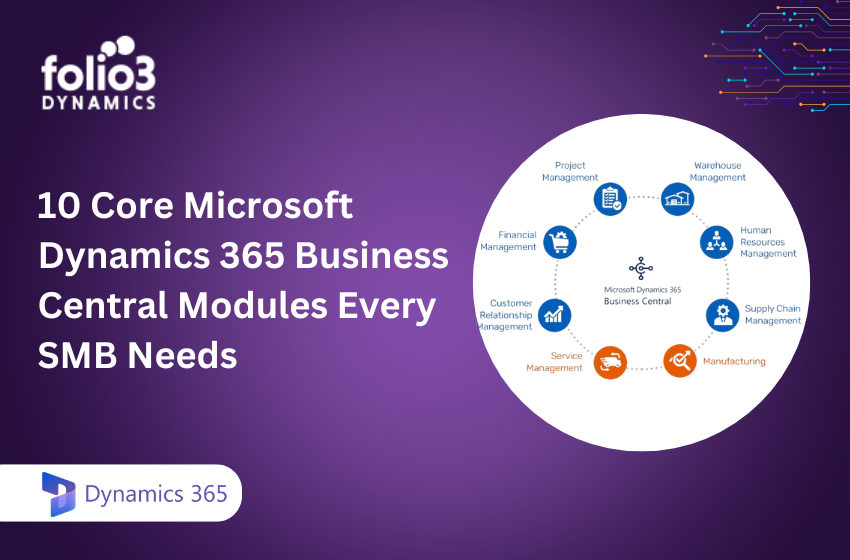
- A unified operational backbone with modules covering financials, sales, supply chain, projects, and manufacturing, all covered in our ultimate guide to Dynamics 365 Business Central.
- Real-time reporting and analytics for faster, more confident decision-making. See how Dynamics 365 Finance & Operations boosts efficiency with connected data and intelligent forecasting.
- Automated workflows and AI-driven forecasting through Microsoft Dynamics 365 Copilot that improve cash flow visibility and inventory accuracy.
Business Central continues to lead cloud ERP growth among mid-market providers, reflecting strong market fit for companies managing multiple entities, geographies, and growing transaction volumes.
Deployment and Maintenance Differences
Cloud deployment means running applications on remote, provider-managed servers accessed via a browser, with regular automatic updates. Hybrid ERP combines on-premises servers with cloud capabilities for organizations that require local control. Business Central supports true cloud, on-premises, and hybrid deployment models.
In the cloud model, Microsoft manages updates, backups, security, and scalability — dramatically reducing IT labor and risk compared to legacy ERP. Key maintenance differences include:
Business Central:
- Automatic, low-disruption updates managed by Microsoft.
- Enterprise-grade cloud security and built-in compliance frameworks.
- Minimal physical infrastructure to manage.
- Standardized extension model that preserves customizations across version upgrades.
Legacy ERP:
- Manual server maintenance, patching, and backup routines.
- Frequent IT intervention for performance tuning and bug fixes.
- Higher risk of an outdated security posture over time.
- Complex upgrade cycles tightly coupled to custom code and configurations.
Reporting, Analytics, and Automation Features
Real-time analytics involves the immediate processing and display of business data, allowing users to monitor operations and act without delay. Business Central centralizes financials, inventory, and sales in a single login — delivering real-time reporting, Excel-based analysis, and embedded Power BI dashboards that eliminate nightly batch processing. See our guide on Dynamics 365 HR and payroll processing for a practical look at how these capabilities apply across departments.
What this looks like in practice:
- Power BI dashboards and refreshed KPIs embedded directly in role centers.
- Workflow automation for approvals, vendor onboarding, and collections — all configurable through Dynamics 365 implementation services.
- AI-powered features through Copilot in Business Central for forecasting, narrative insights, and anomaly detection.
One distributor cut reporting time by 50% and finance teams saved 25 hours per month after transitioning to Business Central. The automation gap between platforms is significant:
|
Capability |
Business Central |
Typical Legacy ERP |
|
Workflow automation |
Built-in approvals, reminders, and escalations. | Manual steps, email chains, custom scripts. |
| Financial close | Templates, allocations, and automated reconciliations. |
Spreadsheets, manual journal workflows. |
|
Reporting |
Real-time, self-service with Power BI. | Batch reports; IT-built custom reports. |
| Invoice processing | Intelligent matching and OCR add-ons. |
Manual entry and three-way match. |
Migration Considerations and Best Practices
Data migration is the process of moving data from legacy systems to a new platform while preserving data quality and business continuity. Successful Business Central migration projects follow a structured playbook and deliberately avoid excessive customization.
Core migration steps include:
- Plan scope and cleanse legacy data; map chart of accounts, items, customers, and vendors.
- Use Microsoft data migration tools and templates to accelerate import and validation. Our Dynamics 365 migration services include full data mapping and go-live support.
- Engage experienced partners to optimize extensions and integrations before go-live.
- Budget for change management, training, and hypercare; evaluate TCO over 3–5 years, not just license costs.
A practical migration checklist:
- Inventory current processes and customizations; retire anything that no longer adds business value.
- Prioritize essential integrations; phase in nice-to-haves after go-live.
- Pilot with a representative business unit; validate data integrity and role-based security.
- Train super-users; establish a clear governance and release cadence.
- Plan cutover with rollback procedures and communication steps; monitor KPIs in the first 90 days.
Common pitfalls often involve underestimating the learning curve, feature bloat from unnecessary customizations, and focusing on short-term license costs rather than long-term total cost of ownership.
Key Reasons to Switch to Dynamics 365 Business Central
- Predictable costs and rapid ROI: Subscription pricing replaces unpredictable hardware and upgrade project costs. Forrester measured a 265% ROI with sub-6-month payback for Business Central adopters.
- Flexible integration and deployment: Native Microsoft ecosystem connectivity, modern APIs, and support for cloud, on-premises, or hybrid ERP deployment. Explore our Dynamics 365 integration options.
- Elastic scalability and enterprise-grade security: Add users, entities, and geographies without infrastructure changes. AI-driven insights through Dynamics 365 Copilot help teams adapt quickly as the business grows.
- Measurable productivity gains: Organizations typically report productivity increases of 12–15%, reporting time reductions of 50%, and sales and finance improvements such as 5%+ more deals per rep after modernizing with Microsoft Dynamics 365.
Conclusion
Modern organizations can no longer rely on rigid, infrastructure-heavy ERP systems that slow down innovation and inflate operational costs. Microsoft Dynamics 365 Business Central offers a compelling modern alternative, combining predictable costs, seamless Microsoft ecosystem integration, and the scalability businesses need to grow. For companies looking to replace legacy ERP, Business Central delivers a faster path to operational efficiency, better insights, and long-term agility.
Folio3 Dynamics is a certified Microsoft Solutions Partner with end-to-end expertise in legacy ERP migration, Business Central implementation, and ongoing 24/7 support.
Ready to modernize your ERP platform? Our Business Central experts at Folio3 Dynamics can help you evaluate your current system, plan migration, and implement a scalable cloud ERP strategy. Book a Business Central migration assessment with our team.
Frequently Asked Questions
What are the main cost savings when moving to Business Central?
Key savings include eliminating on-premises server expenses, reducing IT labor, and replacing unpredictable upgrade fees with a fixed monthly subscription. This makes budgeting more manageable and removes the large capital expenditure associated with legacy ERP hardware refresh cycles.
How does Business Central improve integration across business applications?
Business Central connects natively to Microsoft 365, Power BI, and other platforms using modern APIs, enabling seamless cross-application data sharing and eliminating costly manual integrations or middleware. Folio3 Dynamics provides end-to-end integration services to accelerate this connectivity.
Can Business Central support growing and multi-entity businesses?
Yes. Business Central offers elastic scalability and supports multi-entity management, allowing businesses to add users, legal entities, and international operations without re-architecting their ERP infrastructure.
What are common challenges during legacy ERP migration?
Common challenges include cleansing legacy data, managing organizational change, addressing the user learning curve, and avoiding excessive customization that can complicate future updates. Engaging an experienced implementation partner early significantly reduces these risks.
How does Business Central enhance real-time decision-making?
Business Central provides real-time analytics and reporting through embedded Power BI dashboards and role-based insights, enabling decision-makers to access up-to-date data and act quickly without waiting for overnight batch reports or manual data consolidation.