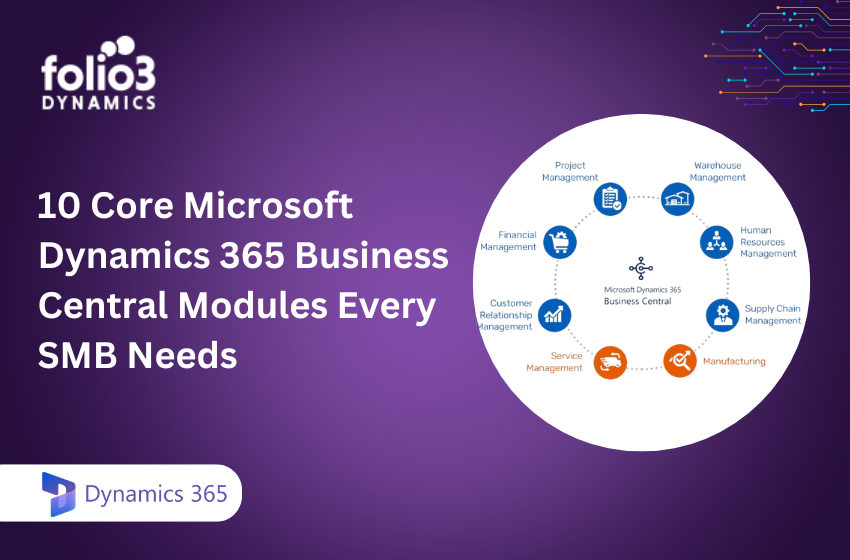
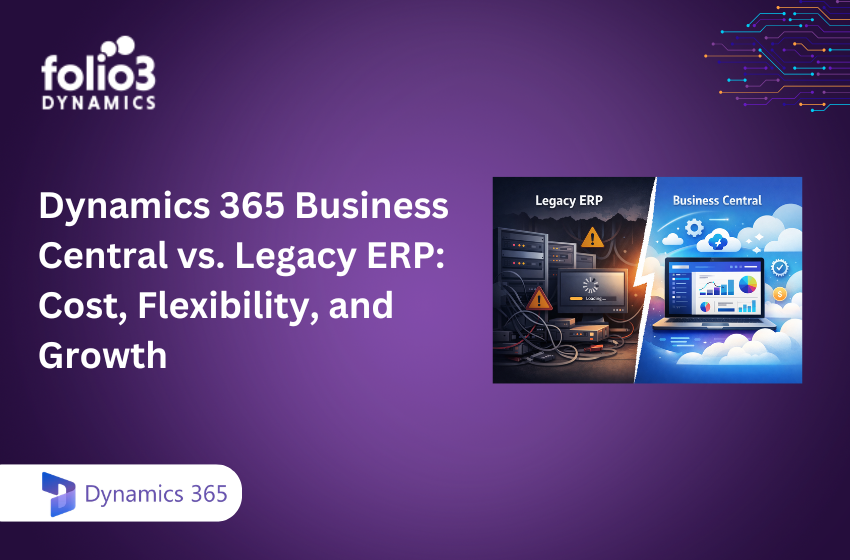
Modern, growth-minded SMBs are replacing aging, on-premise ERPs with Microsoft Dynamics 365 Business Central because it blends cloud-first scalability, embedded AI, and deep Microsoft ecosystem integration into a single, composable platform. Business Central centralizes finance, sales, supply chain, and projects, then layers automation and analytics that remove manual work while improving accuracy and speed. Industry analysis highlights why Business Central is becoming SMBs’ ERP of choice in 2026: lower total cost, faster time-to-value, and continuous innovation baked into the service, making it a pragmatic legacy ERP replacement that’s ready for scale and change from day one.
Strategic Overview
Dynamics 365 Business Central is a cloud ERP for SMBs that unifies finance, sales, purchasing, inventory, projects, and service. For teams evaluating legacy ERP replacement, four themes stand out: cloud-first scalability, embedded AI and analytics, tight Microsoft 365/Power Platform integration, and a shift to composable ERP. Market watchers point to Business Central’s SaaS economics, upgrade cadence, and native Microsoft connectivity as core reasons it’s rising to the top for 2026 selections. The result: tangible operational gains, predictable costs, and future-readiness without the overhead of traditional, customized ERP stacks.
Modern ERP Needs of Growing SMBs
SMBs outgrowing spreadsheets and legacy systems face similar hurdles: fragmented tools, manual approvals and rekeying, brittle customizations, and insufficient integration that slows decisions and service. As product lines, channels, or entities expand, outdated ERPs introduce risk—unsupported versions, security exposure, and escalating maintenance.
Cloud ERP has become the baseline for competitiveness: it centralizes data, standardizes processes, automates routine work, and delivers analytics to every role. In fact, among SMBs focusing on Business Central in 2026, 71% prioritize improving finance and sales, 70% target employee productivity, and 69% aim for cost optimization. That alignment signals a decisive shift from keeping systems running to unlocking growth capacity.
Cloud-First Scalability for SMB Growth
Cloud-first ERP means your system is deployed and managed entirely in the cloud: anywhere access, automatic updates, built-in security, and elastic scaling handled by the vendor. With Business Central, SMBs avoid capital expenditure on servers and the hidden costs of upgrades, benefiting instead from SaaS subscription pricing and a lower total cost of ownership (TCO). Teams can add users as needed, consolidate multi-entity operations, and go live quickly; typical implementations land in 8 to 16 weeks with experienced partners.
On-premise vs. cloud snapshot:
|
Topic |
On-Premise ERP | Business Central Cloud ERP | |
| Upfront cost | High CapEx (servers, licenses) |
Low CapEx; subscription OpEx |
|
|
Upgrades |
Infrequent, disruptive projects | Automatic, biannual + continuous fixes | |
| Scale-up time | Weeks/months (procure + configure) |
Hours/days (elastic licensing/resources) |
|
|
Implementation timeline |
4–12 months, multi-vendor coordination | 8–16 weeks with fit-to-standard approach | |
| Security & compliance | In-house responsibility |
Microsoft cloud controls and certifications |
|
|
IT administration |
Ongoing patching/backup burden |
Managed service; minimal admin overhead |
Embedded AI and Automation for Smarter Operations
Embedded AI refers to intelligence built directly into your ERP to automate, predict, and optimize processes. In Business Central, AI and analytics surface real-time dashboards, power demand forecasting, and enable a “continuous close,” shrinking effort at month-end while reducing unpleasant surprises. A growing majority of leaders now use predictive AI for risk awareness and proactive management, 56% in 2026 outlooks.
High-impact AI and automation capabilities include:
- Predictive inventory: forecast demand and alert on likely stockouts before they occur.
- Automated sales order processing: parse emails/quotes and prefill orders directly from Outlook.
- Cash flow and late-payment prediction: anticipate receivables delays and optimize collections strategy.
- Real-time anomaly detection: flag outliers in journals, pricing, and expenses for review.
- Intelligent replenishment: propose purchase orders based on lead times, seasonality, and safety stock.
- Power BI-driven insights: role-based dashboards that blend ERP and external data for decisions.
Seamless Integration within the Microsoft Ecosystem
Microsoft ecosystem integration means Business Central connects natively to Outlook, Teams, Excel, Power BI, and the Power Platform, keeping data unified and workflows one-click away. Approve purchase orders inside Teams, analyze profitability in Power BI, post in Excel with controlled templates, and automate actions with Power Automate using hundreds of prebuilt connectors. For commerce, Business Central supports unified fulfillment through integrations with Shopify, WooCommerce, and Magento, reducing handoffs and errors across online channels.
Composable Architecture and Configuration-First Approach
Composable ERP is a modular architecture that lets you assemble capabilities via standard apps, connectors, and configuration rather than heavy custom code. With Business Central, organizations increasingly extend processes using Power Platform and Dataverse to build low-code workflows, virtual tables, and role-specific apps without breaking the upgrade path. Analysts underscore a broader market move toward composable ERP because it speeds innovation and reduces maintenance and upgrade risk; 2026 insights place Business Central firmly in that direction.
Business Central’s Financial and Operational Advantages
- Real-time transaction posting and continuous close reduce reconciliation effort and give leaders up-to-the-minute visibility.
- Unified finance, inventory, and operations eliminate data silos and manual reconciliations.
- Inventory controls (lot/batch tracking, serials, and expiry) improve traceability and service levels.
- Advanced supply chain visibility connects purchasing, warehousing, and fulfillment for faster, more accurate orders.
- Subscription SaaS reduces capital expenditure and administrative burden compared to on-premise upgrades.
At-a-glance impact:
|
Benefit |
Business Impact | |
| Real-time financial close |
Fewer surprises, faster period-end reconciliation |
|
|
Inventory accuracy |
Minimized stockouts and surpluses | |
| Integrated analytics |
Actionable insights via embedded AI in Power BI |
|
|
Multi-country compliance |
Built-in localization, tax, and GDPR-aligned controls | |
| Secure, role-based access |
Zero-Trust, MFA, encryption, and audit trails |
|
|
Subscription pricing |
Predictable spend and reduced IT overhead |
Addressing Migration and Adoption Challenges
Common hurdles when moving from legacy ERPs (e.g., GP/NAV or non-Microsoft systems) include data compatibility, integration complexity, user resistance, and scope creep. Avoiding the move also has opportunity costs: limited automation, upgrade stagnation, and rising security risk.
Practical mitigation:
- Run a data audit and cleanse/normalize masters and histories before migration to reduce duplicates and mapping errors.
- Use phased rollouts (finance first, then supply chain, then advanced scenarios) to de-risk go-live and accelerate adoption.
- Favor configuration and standard extensions over custom code to protect future upgrades.
Partnering for Successful Implementation and Support
Selecting a certified, experienced partner is pivotal for scoping, project governance, data migration, user enablement, and 24/7 support. The right team mitigates risks like missed integrations, weak adoption, or compliance gaps that can erode ROI. As a Microsoft Solutions Partner, Folio3 Dynamics delivers full-lifecycle Business Central implementations, combining scalable architecture design, Microsoft 365/Power Platform integration, and proven migration accelerators, to modernize legacy ERP with confidence. Explore how Business Central extends into service operations in our Business Central field service guide for SMBs.
Fueling SMB Growth with Folio3 Dynamics 365 Business Central Implementation
Because Business Central is SaaS, updates are applied automatically, keeping your ERP current without disruptive projects. Microsoft’s roadmap continues to expand AI-driven planning, reconciliation, and anomaly detection while deepening Power Platform integration and governance, an “autonomous ERP” trajectory that compounds efficiency gains over time. To stay ahead, schedule periodic optimization cycles to adopt new features, retire customizations replaced by standard capabilities, and align controls with evolving compliance requirements. If you are ready to retire a legacy ERP and accelerate time-to-value, Folio3 Dynamics helps SMBs implement and scale Business Central with assessment workshops, migration roadmaps, fixed-scope starter packs, and ongoing optimization. You can also explore the Folio3 Dynamics Business Central Implementation to jumpstart your journey.
Frequently asked questions
Why are SMBs choosing Microsoft Dynamics 365 Business Central?
SMBs choose Dynamics 365 Business Central because it combines finance, sales, inventory, and operations in a single cloud ERP with built-in AI and Microsoft ecosystem integration.
How long does a Business Central implementation take?
Most Business Central implementations for SMBs take 8–16 weeks, depending on data migration, integrations, and business complexity.
What benefits does cloud deployment offer SMB ERPs?
Cloud ERP removes server costs, scales on demand, enables anywhere access, and delivers automatic updates that lower total IT overhead.
How does AI improve business processes in Business Central?
AI helps forecast demand and risks, automate order entry, and provide real-time insights so teams can make faster and more accurate decisions.
What makes Microsoft ecosystem integration important for SMBs?
Native links to Outlook, Teams, Excel, Power BI, and Power Platform streamline work in familiar apps and keep data consistent across processes.
How can SMBs mitigate risks during ERP migration?
Cleanse and map data early, adopt a phased rollout, and partner with experienced implementers to reduce integration issues and ease user transition.
Can Business Central integrate with other business systems?
Yes. Business Central integrates with Outlook, Teams, Excel, Power BI, Power Automate, and many third-party systems through APIs and connectors.