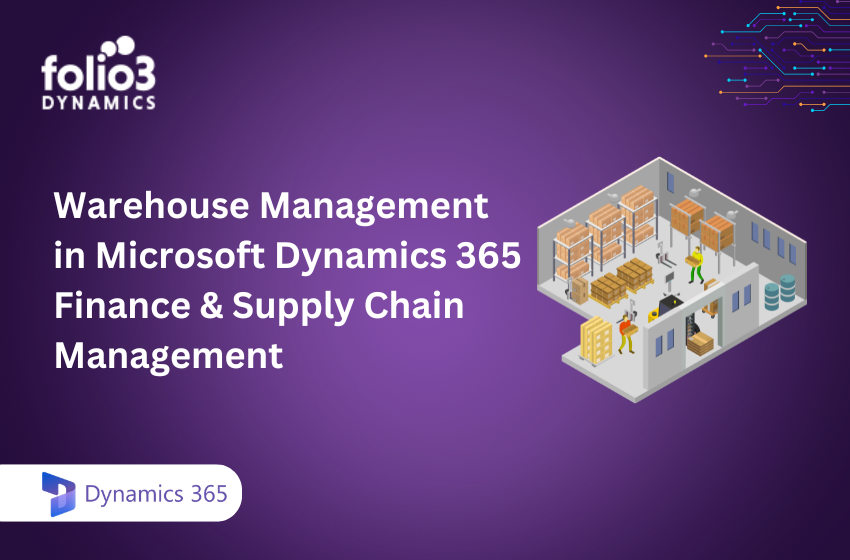
For manufacturers, distributors, and 3PLs, the warehouse is where supply chain strategy meets operational reality. Demand plans, procurement decisions, and customer promises all converge on the warehouse floor — and when warehouse operations are slow, inaccurate, or disconnected from the rest of the business, the cost shows up everywhere: in late shipments, inflated inventory, excess labor, and eroding customer trust.
Dynamics 365 warehouse management is Microsoft’s answer to that challenge. Built into Dynamics 365 Finance and Supply Chain Management, it provides a rich, configurable warehouse management system — commonly referred to as Dynamics 365 WMS — that covers every step of the warehouse lifecycle from inbound receiving through outbound shipping, with real-time mobile operations, AI-driven automation, and deep integration into the broader F&SCM platform.
This guide explains what the D365 warehouse management module includes, how its core workflows operate, what makes it different from standalone WMS tools, and how organizations can approach implementation effectively.
What Is Dynamics 365 Warehouse Management?
Warehouse management in D365 SCM is a native module within Dynamics 365 Finance and Supply Chain Management. Unlike a bolt-on or third-party WMS that requires ongoing integration maintenance, it is fully embedded in the same platform that manages procurement, production, sales, transportation, and finance — which means warehouse operations share a single data model with every other business process.
Dynamics 365 Supply Chain Management provides a rich and flexible set of capabilities that can be combined and configured to support many warehouse layouts and operational scenarios. Organizations can configure the system to match their specific physical layout, operational workflows, labor model, and compliance requirements — without custom code in most scenarios.
The microsoft dynamics wms capability sits within the broader F&SCM platform alongside demand planning, procurement, manufacturing, transportation management, and quality management — giving warehouse operations full visibility into upstream supply and downstream demand without switching systems.
For organizations evaluating Microsoft warehouse management software options, the integration advantage is decisive: instead of managing a WMS integration that breaks every time either system updates, warehouse operations run natively within the same platform as the rest of the supply chain. Folio3’s Dynamics 365 Supply Chain Management practice covers end-to-end deployment of these capabilities for manufacturers, distributors, and 3PLs.
Core Capabilities of D365 Warehouse Management
Inbound Operations: Receiving and Put-Away
Inbound operations in D365 warehouse management begin the moment a purchase order, transfer order, or production return triggers an expected receipt. The system generates an advance shipping notice (ASN) against the source document, enabling dock appointment scheduling and labor pre-assignment before the truck arrives.
When goods arrive, warehouse workers use the Warehouse Management mobile app to confirm receipt, scan barcodes or license plates, and execute put-away. The system drives the put-away path automatically based on location directives — configurable rules that determine where items should go based on item type, zone, weight, dimensions, lot status, or any other attribute without requiring manual decision-making from the operator.
Cross-docking is supported natively: items that match open outbound demand can be routed directly from receiving to staging or shipping without entering bulk storage, reducing handling and shortening order fulfillment cycles for fast-moving SKUs.
Inventory Management and Location Control
Dynamics 365 inventory management within the WMS module tracks stock at the most granular level the business requires — from site and warehouse down to aisle, rack, shelf, and bin. Every inventory movement is recorded with full traceability, including batch and serial number tracking for regulated industries.
All movements of items are monitored and recorded. The system is compatible with batch and serial numbers, multiple warehouses and bins, and real-time status.
Key inventory control capabilities include:
- License plate management tracks items as physical units (pallets, cartons, totes) rather than just quantities, enabling more accurate and faster receiving, picking, and shipping operations in environments with high pallet throughput.
- Inventory status assigns configurable status codes to inventory — available, blocked, quarantine, inspection — and the system respects status in all reservation and fulfillment logic, preventing blocked stock from being allocated to orders automatically.
- Cycle counting enables continuous stock accuracy without a full warehouse shutdown. Counting tasks are generated automatically based on configurable thresholds — by location, by item, or by movement frequency — and executed via the mobile app during normal operating hours.
- Multi-site and multi-warehouse support enables organizations managing multiple facilities to operate each warehouse with its own configuration while sharing items, customers, vendors, and financial data across the enterprise.
For organizations also running Dynamics AX inventory management processes as part of a legacy environment, migrating to D365 SCM’s native WMS consolidates those capabilities into a single, supported platform with a modern mobile interface and AI-driven insights.
Outbound Operations: Wave Processing, Picking, and Shipping
Outbound fulfillment in the microsoft warehouse management module is driven by wave processing — the mechanism that groups open sales orders, transfer orders, or production orders into work batches based on configurable criteria such as shipping route, carrier, delivery window, or order priority.
Mobile app-guided pick, pack, and sort capabilities guide workers through every step of the pick-and-pack process with directed instructions on the handheld device. The system optimizes pick routing across the warehouse floor, sequencing tasks to minimize travel distance and maximize throughput — a measurable labor efficiency improvement over paper-based or manually directed picking.
Picking strategies configurable in dynamics 365 wms include cluster picking (one worker fulfilling multiple orders simultaneously), zone picking (workers assigned to specific warehouse zones with work passing between zones), and batch picking (consolidating picks for similar items across multiple orders). The right strategy depends on order profile, SKU count, and labor model — and the system supports all of them within the same wave framework.
Packing stations guide workers through item verification, cartonization, and label generation. Shipping confirmation updates the source sales order with tracking information and triggers customer notification — all within the same system that managed the inventory movement.
The Warehouse Management Mobile App
The D365 warehouse management mobile application is the primary interface for frontline workers. It runs on any Android or iOS device — handheld scanners, mobile computers, smartphones, or tablets — and presents task-specific workflows that guide workers through each step without requiring ERP knowledge.
A newly enhanced warehouse mobile app gives better performance. Help new frontline workers quickly perform warehousing tasks — thanks to an intuitive and easy-to-use UI on handheld devices.
Key mobile capabilities include barcode and QR code scanning, license plate receiving and put-away, directed picking and packing, cycle counting, inventory adjustments, and transfer order processing. The app supports offline operation for environments with intermittent connectivity, syncing transactions when the connection is restored.
In the 2025 release wave 2, the Warehouse Management mobile app now supports wrist-mounted scanners, delivering faster scanning and reduced physical strain for workers — particularly valuable in labor-constrained environments where every second of picking time adds up across thousands of daily transactions.
The app’s natural language-based help guides users step by step through workflows, reducing training time for new operators significantly. For operations with high staff turnover — common in distribution and 3PL environments — this self-guided training capability has a direct impact on onboarding cost and operational consistency.
Yard Management and Dock Scheduling
For high-volume facilities managing significant inbound and outbound trailer traffic, supply chain warehouse management in D365 includes yard management capabilities that extend control beyond the warehouse walls.
Yard management in Dynamics 365 allows you to monitor and manage vehicle movements, optimize dock placements, and improve the flow of inbound and outbound deliveries, minimizing wait time and maximizing throughput.
Yard management coordinates dock door assignments, trailer staging, driver check-in and check-out, and load sequencing — preventing the congestion at dock doors that creates downstream warehouse bottlenecks and increases dwell time for carriers.
Transportation Management Integration
F&SCM warehouse management integrates natively with Dynamics 365’s Transportation Management module, connecting outbound warehouse operations directly to carrier management, freight rating, load planning, and shipment execution.
This integration means that when a wave is processed and outbound work is created, the transportation management system can simultaneously rate-shop carriers, confirm freight costs, generate shipping labels, and transmit shipment confirmations to carriers — all from within the same platform. For businesses that currently manage these steps across separate warehouse and transportation systems, consolidating onto the D365 platform eliminates a category of integration risk and data latency.
AI and Copilot Capabilities in D365 WMS
Supply chain warehouse management in the 2025 release waves includes a meaningful expansion of AI capabilities that change how warehouse operations are planned and executed.
Autonomous re-slotting uses AI to dynamically relocate high-demand items to the most accessible warehouse locations. High-demand items are dynamically moved to the most accessible locations, reducing pick times, improving outbound throughput, and boosting warehouse agility. This self-optimizing slotting replaces manual slotting analysis that previously required periodic warehouse engineering projects.
Generative AI for demand planning feeds directly into warehouse replenishment decisions. New generative insights analyze historical sales and forecast data to detect patterns such as trends, seasonality, and ABC/XYZ classifications. These insights automatically group data into actionable clusters, helping planners optimize inventory, reduce stockouts or overstocking, and make better demand-driven decisions.
Conversational Copilot in the warehouse context supports natural language queries for supervisors and planners — asking questions about open work, inventory status, labor utilization, or shipment status in plain language rather than navigating report menus.
Process mining gives operations managers real-time visibility into warehouse process inefficiencies. Perform process mining to get real-time insights into warehouse process inefficiencies and take corrective action. Rather than discovering bottlenecks through lagging KPIs, process mining surfaces them as they develop — enabling faster corrective action.
Labor management system integration is new in the 2025 release wave 2. A new integration framework allows seamless connection between the warehouse management module and third-party labor management systems, enabling real-time labor productivity tracking and task-level performance insights, automated labor scheduling and predictive workforce planning, reduced manual data entry through synchronized task execution and time tracking.
For organizations with existing Business Intelligence reporting on warehouse KPIs, the Dynamics AX Business Intelligence tooling connects to these AI-generated insights through Power BI dashboards — giving leadership a single consolidated view of warehouse performance alongside the rest of the supply chain.
Dynamics 365 WMS vs Standalone WMS: Key Differences
Organizations evaluating microsoft warehouse management software frequently ask how D365 WMS compares to best-of-breed standalone WMS platforms. Here is an honest comparison.
- Integration depth: Standalone WMS platforms require integration with ERP for order, inventory, and financial data — and those integrations require maintenance every time either system updates. D365 WMS operates natively within the same platform as procurement, production, sales, and finance. There is no integration to maintain; all data is shared in real time.
- Total cost of ownership: A standalone WMS carries licensing cost plus integration development and maintenance cost plus interface licensing for mobile devices. D365 WMS is included within the Dynamics 365 Supply Chain Management license — adding warehouse management does not add a separate product license for most deployments.
- Configurability vs. customization: D365 WMS is highly configurable through location directives, work templates, wave templates, and mobile device menu items — covering most operational requirements without custom code. Standalone best-of-breed WMS platforms often offer more out-of-the-box industry templates but require customization for non-standard scenarios just as D365 does.
- Upgrade path: Standalone WMS upgrades are often disruptive and require re-testing integrations. D365 WMS updates continuously through Microsoft’s release wave model, with backward compatibility managed by Microsoft rather than the customer.
For organizations already running Dynamics 365 Finance, the decision to add D365 WMS is straightforward — the platform is already in place. For organizations evaluating ERP and WMS together, D365’s consolidated approach eliminates an entire category of integration risk and ongoing maintenance cost. Folio3’s Dynamics 365 implementation team helps organizations scope and execute this decision with full lifecycle support.
Implementation Approach for D365 Warehouse Management
A successful d365 warehouse management implementation follows a structured approach that respects both the platform’s configurability and the operational complexity of warehouse environments.
- Phase 1 — Warehouse design and data preparation. Before touching the system, document your warehouse physical layout, operational workflows, labor model, and integration requirements. Map existing processes to D365 WMS capabilities and identify configuration gaps. Prepare master data — items, locations, units of measure, vendor relationships — to the standard required for WMS operation.
- Phase 2 — Configuration and testing. Build location directives, work templates, wave templates, and mobile device menu items that reflect your documented workflows. Run structured testing across every inbound and outbound scenario with realistic data volumes. Include exception testing — what happens when a location is full, when items are in quarantine, when a wave fails to release.
- Phase 3 — Mobile device deployment and operator training. Deploy and configure handheld devices. Train warehouse operators on the mobile app workflows using the system’s natural language help guides. Run a parallel period where the new system and existing processes run simultaneously to validate accuracy before cutover.
- Phase 4 — Go-live and stabilization. Cut over on a planned date with adequate support coverage on the floor. The first two to four weeks post-go-live typically surface configuration adjustments — picking sequence inefficiencies, location directive edge cases, wave grouping issues — that are resolved quickly by an experienced implementation partner.
For businesses considering a Dynamics AX warehouse management modernization or a migration from a legacy WMS to D365 SCM, Folio3 Dynamics brings implementation experience across manufacturing, distribution, food and agriculture, and retail environments — with a methodology designed to compress timelines without sacrificing configuration quality.
Conclusion
Dynamics 365 warehouse management gives organizations a production-grade WMS that is natively embedded in their ERP, continuously updated with AI capabilities, and configurable to match almost any operational scenario — without the integration overhead and upgrade risk of a standalone system. For manufacturers and distributors already on the Dynamics 365 platform, it is the natural path to modernizing warehouse operations. For those evaluating a new ERP and WMS together, it eliminates a category of complexity that standalone deployments carry indefinitely.
If your organization is ready to implement or optimize D365 warehouse management, contact Folio3 to speak with a certified Microsoft partner who has delivered WMS implementations across complex supply chain environments.
Frequently Asked Questions
What is Dynamics 365 Warehouse Management?
Dynamics 365 Warehouse Management is a built-in WMS in Dynamics 365 Finance and Supply Chain that manages receiving, put-away, inventory, picking, packing, and shipping in one system.
How is D365 Warehouse Management different from a standalone WMS?
D365 Warehouse Management is fully integrated with ERP processes like procurement, production, and finance, while standalone WMS solutions require separate integrations and additional maintenance.
Does Dynamics 365 Warehouse Management support mobile devices?
Yes, it supports mobile devices through the Warehouse Management app on Android and iOS, enabling barcode scanning and guided warehouse operations.
Which industries use Dynamics 365 Warehouse Management?
It is commonly used in manufacturing, distribution, retail, food and agriculture, pharmaceuticals, and third-party logistics (3PL).
Can Folio3 Dynamics implement Dynamics 365 Warehouse Management?
Yes, Folio3 Dynamics provides end-to-end implementation, including warehouse design, configuration, go-live, and ongoing support.
Does Dynamics 365 Warehouse Management include AI features?
Yes, it includes AI capabilities like demand-driven replenishment, warehouse optimization, Copilot queries, and process insights.
Is D365 Warehouse Management available in Business Central?
Business Central includes basic warehouse features, but advanced WMS capabilities are available in Dynamics 365 Finance and Supply Chain.